Maxine Hardy / Splashbun
Fixes for the AIR Theme on VNDB
I find the AIR theme for VNDB to be very pretty and easy on the eyes, so it's been my go-to for a while, but it definitely has some problems with readability out of the box. The biggest issue for me was the colour of the text used for titles; there's so little contrast! Fortunately, VNDB gives the ability to add custom CSS, so it's as easy as adding "html {--boxtitle: #000000;}" (without quote marks) to the Custom CSS box to make it black (you can change it to any colour, though, by changing the hex code).
The second problem for me was the icons, again for a lack of contrast. The "Add to list" icon, the custom list icon, and the icons for a number of the platforms, such as the DS, Wii, and DVD players, are white or very light greys, which don't stand out at all on the soft blue background. This fix is a little more involved, but it changes the icons to a set with better contrast.
First, you'll need to download the updated icons I made, and host them somewhere online. Then, add "[class^=icon-char-],[class^=icon-plat-],[class^=icon-drm-],[class^=icon-rel-],[class^=icon-list-],[class^=icon-el-],.icon-rss{background-image:url(https://yourwebsitegoeshere.gov/iconsv5.svg)}" to the Custom CSS box, again without quotes, and changing the italicized URL to the address your icons are hosted at. And that's it! The AIR theme is readable now!
Check out the difference here:
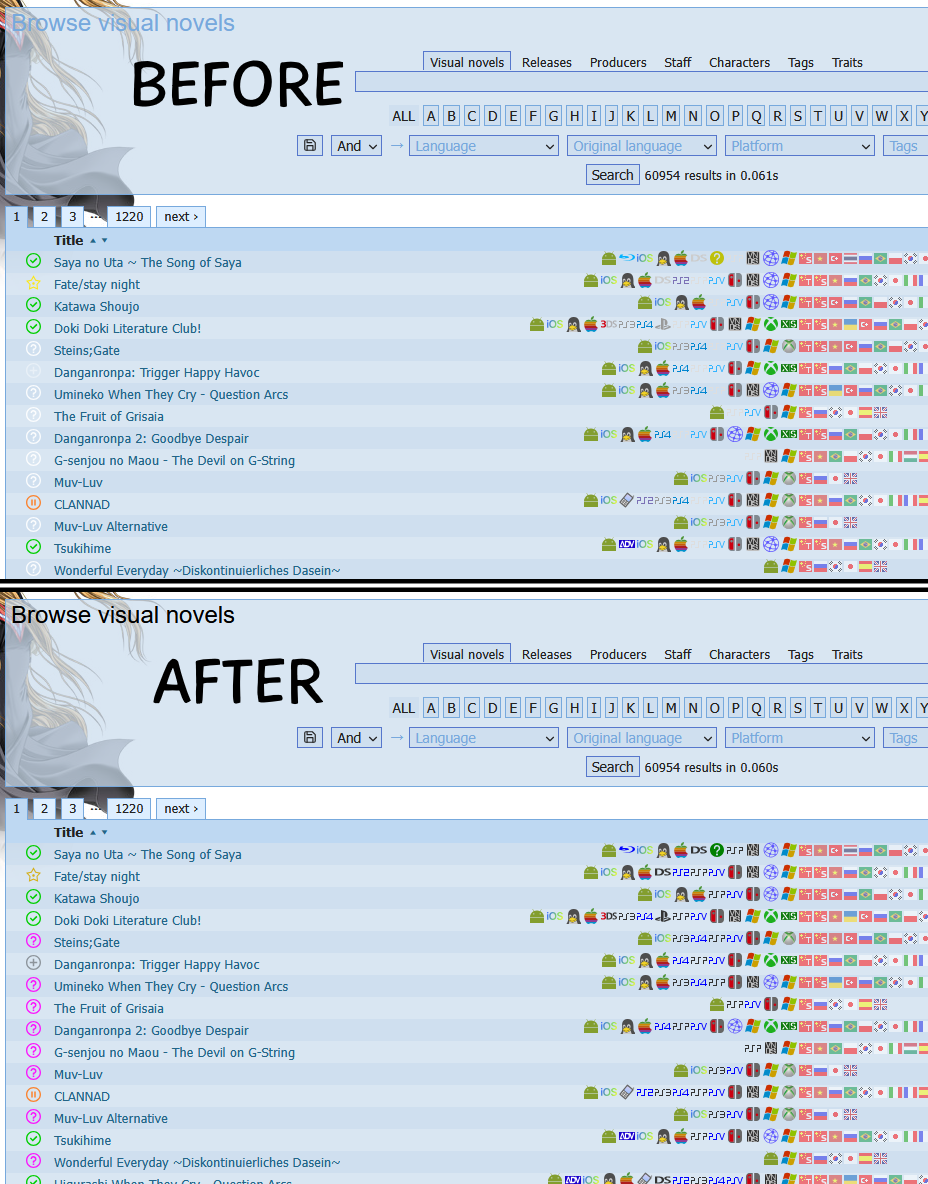
It's also pretty easy to edit the colours of the icons yourself, if you're trying to make a different theme more readable, or you just want different colours, since they're all stored on one big .svg file; you just need to open the icon file in a vector program like Inkscape, and change the colours of the fill for the icons you want.
Links From The Article: